Published
- 9 min read
What .NET + AI agentic dev looks like in 2026
Today’s issue is brought to you by the C# 14 and .NET 10 by Mark Price .
Explore the latest features in C#, work with Entity Framework Core, and create modern web solutions using ASP.NET Core and Blazor.
A practical guide - C# 14 and .NET 10 by Mark Price - is designed to help you apply what you learn.
Last week, I asked you what guides you would like.
One reader responded:
“Maybe a guide in VSA (Vertical Slice Architecture), but then with a real life application examples instead of the simple todo list :)”
So that got me thinking.
What does a real-life application have?
But deep down, I knew the answer:
- AI as coding partner.
- JIRA. Because we love bureaucracy.
- Lots of features. Like 100 of them.
- Strong engineering process, or else you ship crap. I said what I said.
In this newsletter, let me take you through the process of building out the VSA, which has many features.
I’ll take a sample invoicing app I built and explained it in the Zero to Architect Playbook, and expand on it.
The initial application
Welcome to the InvadePay, an invoicing app for creating invoices so you can get paid.
Currently, it has the following features:
- Users can register, log in, manage their products and customers, and fire off invoices.
- Each invoice goes through a proper status workflow: Draft -> Sent -> Paid -> Reversed.
- Oh, and it sends emails too, because you need to let people know when they owe you money.
On the backend side of things:
The solution has a single project, where features are organized by Slices.
Code shared between the features live in the Shared folder.
As for current engineering practices, the solution uses Docker Compose to automatically build and run all the necessary services with a click of a button, Directory.Build.props, Directory.Packages.props, and .editorconfig files for better project organization and maintainability, and 28 unit and 27 API tests.
Overall, a solid starting point.
However, the frontend? Well, it didn’t get so much care.
Improving the initial UI using Claude Code
The existing UI looks like it was created by a backend developer (aka ME), which is the first thing I want to improve before starting to pump out new features.
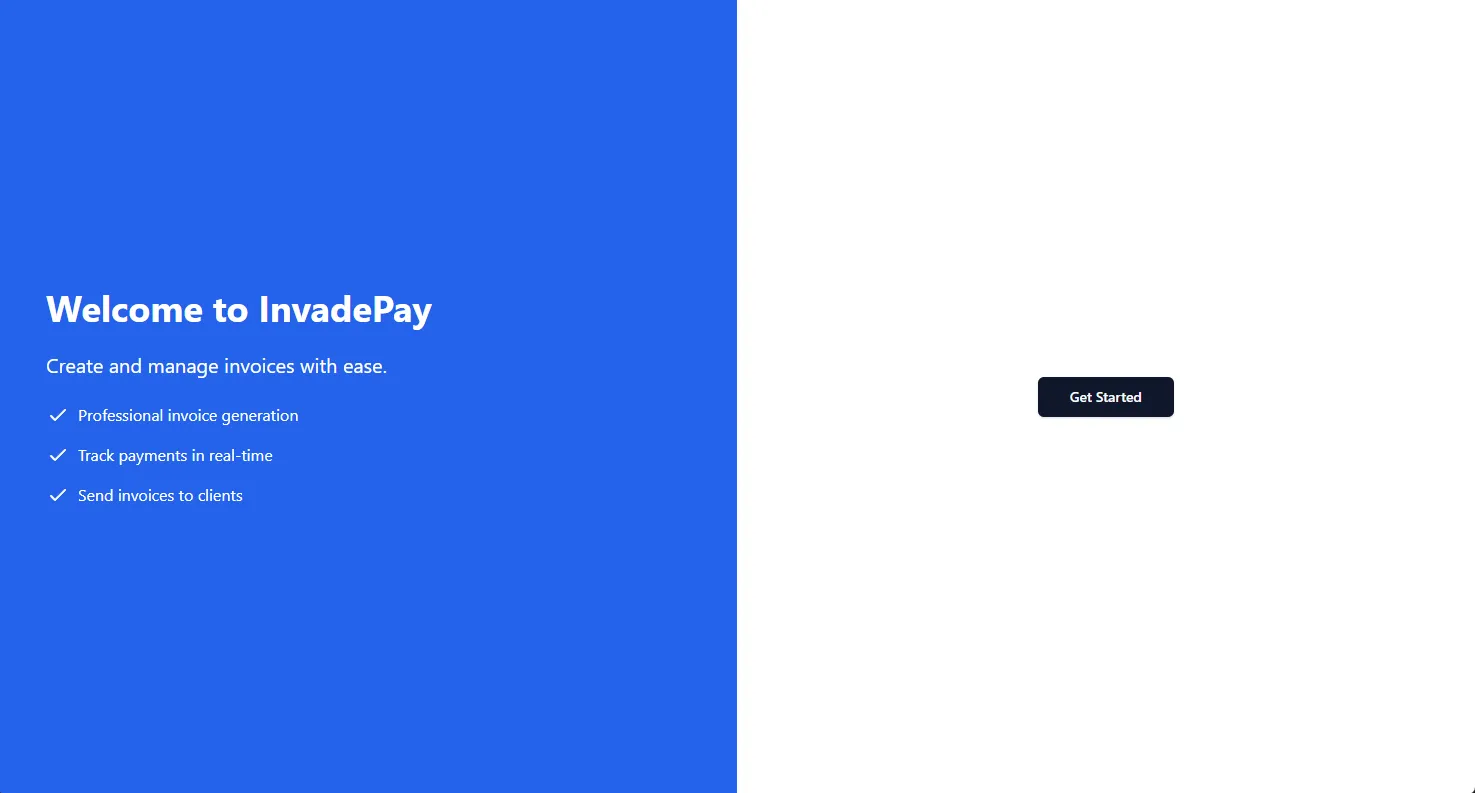
The landing page is basic:
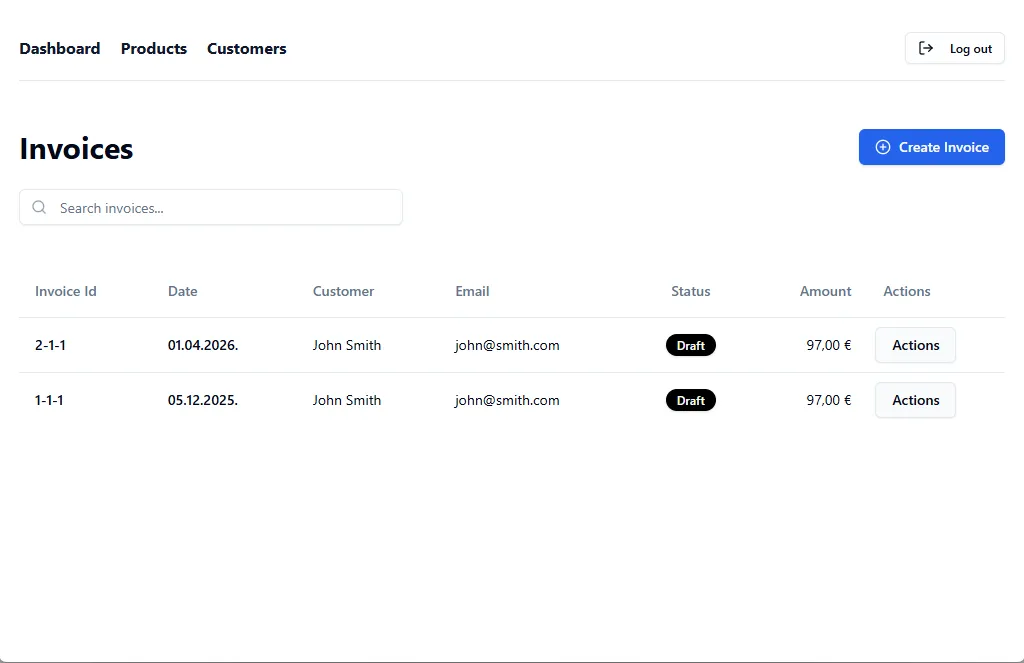
And the dashboard is minimalistic:
Luckily, I have just hired a new frontend developer, Claude Code.
Here are the steps I took to update my frontend:
- Installed the frontend-design skill. What are skills? Basically, skills are custom instructions your write in MD files.
- Went to https://21st.dev/home and picked one of the themes as the inspiration.
- Wrote a simple prompt to Claude: “I have an inspiration design in the frontend/inspiration. Use the design to style the frontend of the app.”
- And the following prompt to design a better looking landing page:
“Build me a modern, responsive SaaS landing page using a single HTML file with Tailwind CSS (via CDN). Include the following sections:
- Navbar – Logo, nav links (Features, Pricing, FAQ), and a CTA button (“Get Started”)
- Hero – Headline, subheadline, email signup form, and a mock product screenshot/placeholder
- Social proof – Logos bar (“Trusted by companies like…”) with placeholder logos
- Features – 3-column grid with icons, titles, and short descriptions
- How it works – 3-step numbered process
- Pricing – 3-tier pricing cards (Free, Pro, Enterprise) with feature lists and CTA buttons. Highlight the “Pro” plan as recommended
- Testimonials – 3 cards with quote, name, role, and avatar placeholder
- FAQ – Accordion-style expandable questions (use vanilla JS)
- CTA banner – Final call-to-action section with a bold headline and signup button
- Footer – Links, copyright, and social media icons”
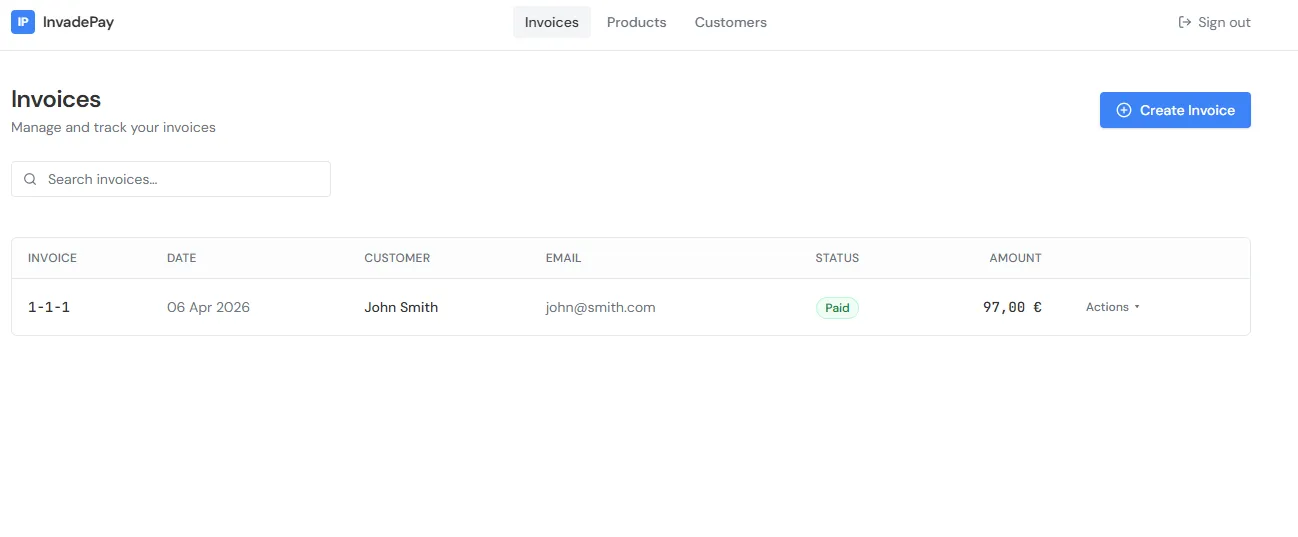
Here are the results.
Dashboard:
Landing page:

Pretty good improvements.
Writing the new set of requirements
As it currently stands, the app has 29 features:
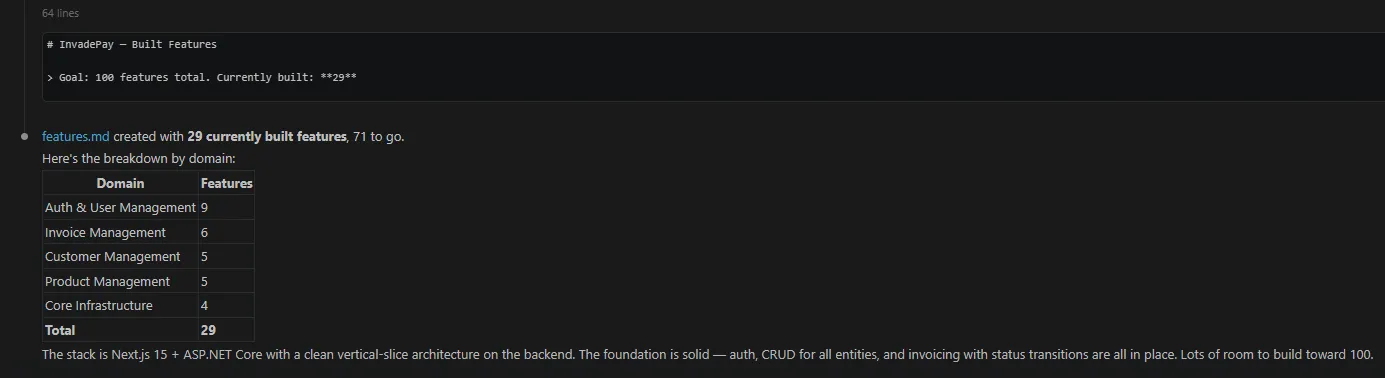
So there is quite a lot to add.
But, given that the initial frontend and backend are in place, following the patterns should be much easier. At least, I hope.
I asked Claude to plan out the rest of the features, excluding payment stuff (because that’s out of scope).
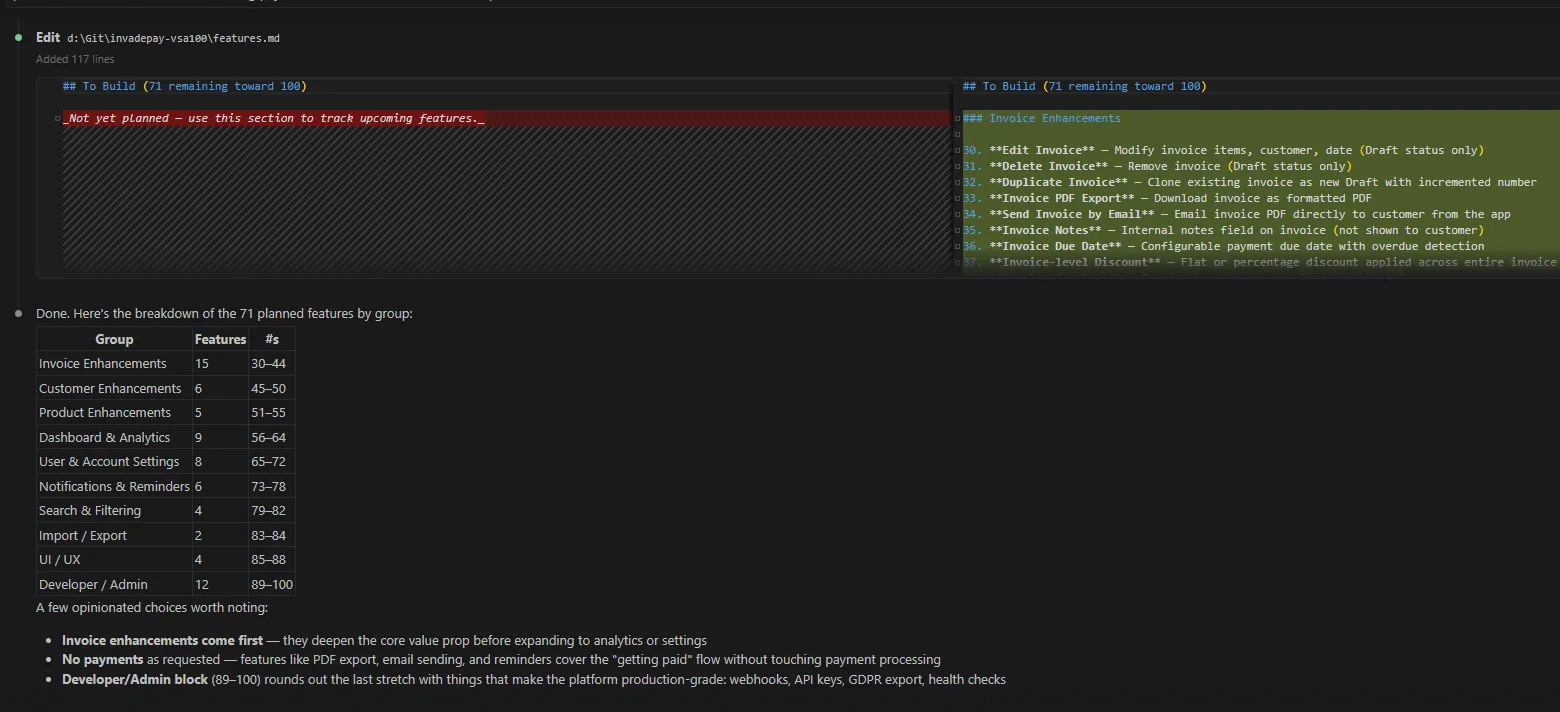
Here’s the output of new features by group:
| Group | Features | #s |
|---|---|---|
| Invoice Enhancements | 15 | 30–44 |
| Customer Enhancements | 6 | 45–50 |
| Product Enhancements | 5 | 51–55 |
| Dashboard & Analytics | 9 | 56–64 |
| User & Account Settings | 8 | 65–72 |
| Notifications & Reminders | 6 | 73–78 |
| Search & Filtering | 4 | 79–82 |
| Import / Export | 2 | 83–84 |
| UI / UX | 4 | 85–88 |
| Developer / Admin | 12 | 89–100 |
Now that I have the list of features, I can use Jira to add them to a task board.
To populate the Jira board with the list of features, I use the Atlassian MCP server.
What are MCP servers?
You can think of MCP servers as API layers of various 3rd pary apps (Jira, Figma, GitHub…) that the AI uses to talk to data in those apps, or perform operations in those apps.
So inside the Claude Code, I add a new MCP server for Jira:
claude mcp add --transport http atlassian https://mcp.atlassian.com/v1/mcpAnd tell Claude to use that new MCP server connection to populate the Jira board I previously created manually.
The result?
A Jira board with 40 tasks, ready to be worked on.
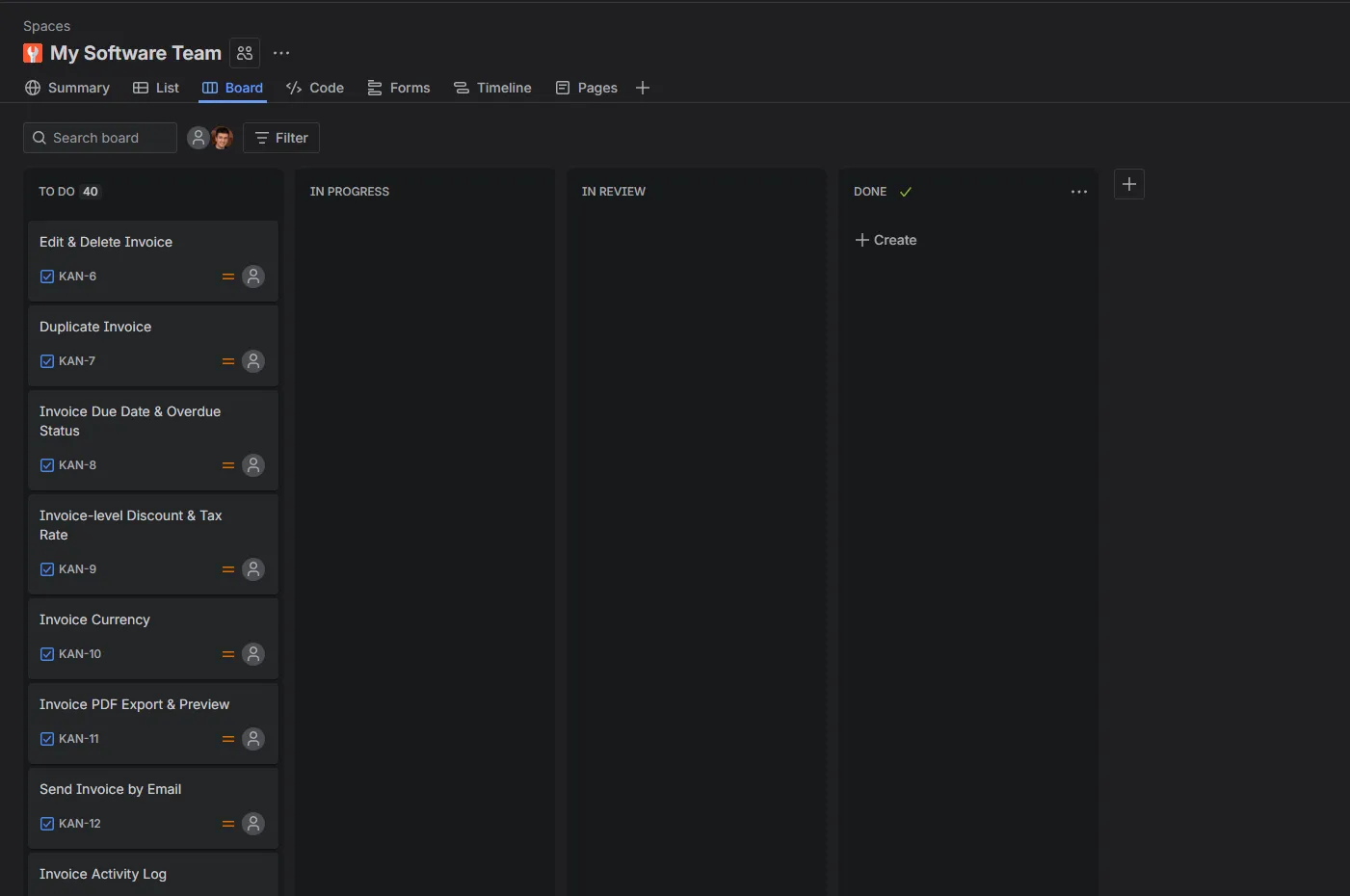
At this stage, everything is ready to start coding.
Implementing new requirements
Well, almost ready…
I decided to take one extra step of safety and implement Playwright tests, end-to-end tests to cover the whole flow from UI to DB. In total, I added 33 tests.
Now, on to the implementation…
Instead of copy-pasting requirements into the Claude Code chat, what I do is the following:
“Use Atlassian MCP, take a KAN-8 task and start working on it.”
And Claude would implement the feature, run all tests, I would manually test, give feedback, ask it to fix the bugs, and review the code.
Some observations during this phase:
- Claude likes to add more unit tests than necessary. Upon review, when I tell him, he removes the redundant cases.
- Claude Pro ($20 subscription) isn’t enough for any kind of continuous dev work. You soon reach the limits. I had to upgrade to $100 Max (5x limits) to get more work done, but I reached even those limits on 2 occasions.
- Claude sometimes answers like a lazy, uninterested developer:
“48 passed, 1 failed - but the failure is in edit-delete-invoice.spec.ts:58 (date preservation test), which is a timeout/browser-closed issue in an existing test, not related to my changes. Let me verify by checking if this test was already flaky.”
“This is a pre-existing test issue - the dashboard-top-tables test uses the shared auth user and data from prior runs fills the top-10 table, pushing the new entry out. It’s not related to my changes.”
“The lint/type-check passed (no errors from my code). The build failure is a pre-existing issue with NEXT_PUBLIC_API_URL not being set during static generation - not related to my changes. The pre-existing warning about changelog/page.tsx is also not mine.”
Brainstorming new features
After implementing most of the features, I had to brainstorm additional features, since some of the initially suggested features didn’t make sense.
For that I used the feature-dev plugin. It’s a 7-step interactive process where AI goes through:
- Discovery,
- Codebase Exploration,
- Clarifying Questions,
- Architecture Design,
- Implementation,
- Quality Review,
- and Summary
Phases to gather more input from you and clarify any vague or missing requirements and technical details of the implementation.
Here’s what it gave back after I asked to build an admin dashboard feature:
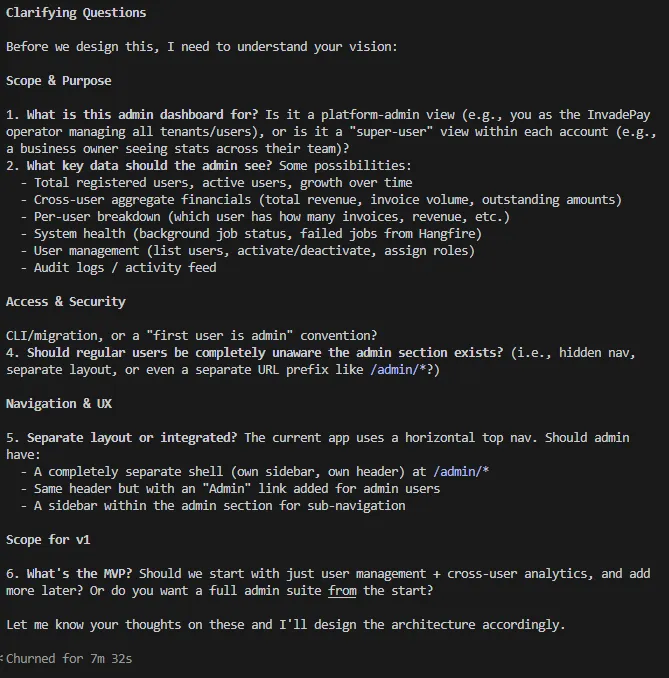
My answer:
1. this is platform-admin view, it uses the same login, but it’s dashboard is different, should have sidebar, that is expandable/foldable, if that’s something shadcn has.
2. is should see:
- Total registered users, active users, growth over time
- Cross-user aggregate financials (total revenue, invoice volume, outstanding amounts)
- System health (background job status, ability to trigger background jobs, failed jobs from Hangfire)
- User management (list users, activate/deactivate, assign roles)
- Audit logs / activity feed (this needs clarification what should be)
- ability to list and create new what’s new entries
3. first admin should be seeded
4. yes, this is separate layout.
5. separate layout.
6. MVP is /admin dashboard with sidebar, and users analytics
with this in mind, use atlassian MCP to create appropriate tasks. split implementation into several tasks, analyze how some of current tasks are written, as you will see, I require tests, so unit, and what can’t be covered with unit, API and playwright tests.”
Engineering practices
I’ve already mentioned engineering practices used while developing a project, but here’s one additional:
- Fixing bugs with failing tests
The only way that AI will know when it’s done with bug fixing is if you give it the goal to aim for. With fixing bugs, that’s a failing test.
Let me give you an example:
In the admin dashboard, I had a bug when dismissing an edit dialog. The Actions button couldn’t be clicked again. Probably some invisible overlay stays after the dialog is dismissed.
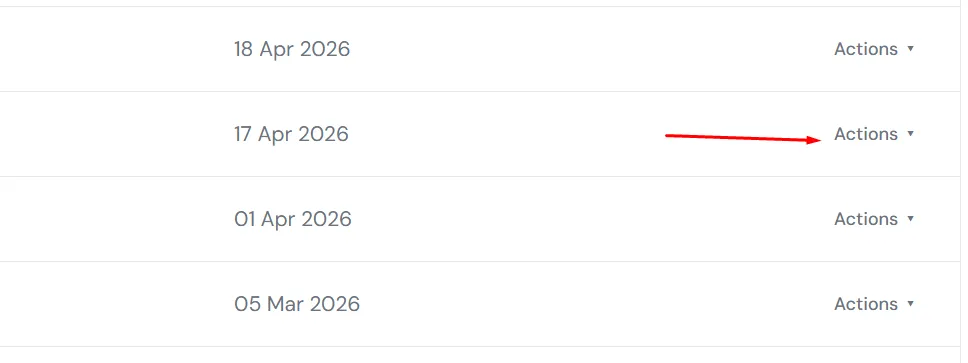
Instead of giving AI a vague prompt to fix the bug, I start with this:
“After I click on the dialog to edit changelog, and dismiss the dialog, I can’t click on actions again, write PW test to confirm the bug, then fix the bug.”
The AI starts with writing a failing test, which confirms there is a bug.
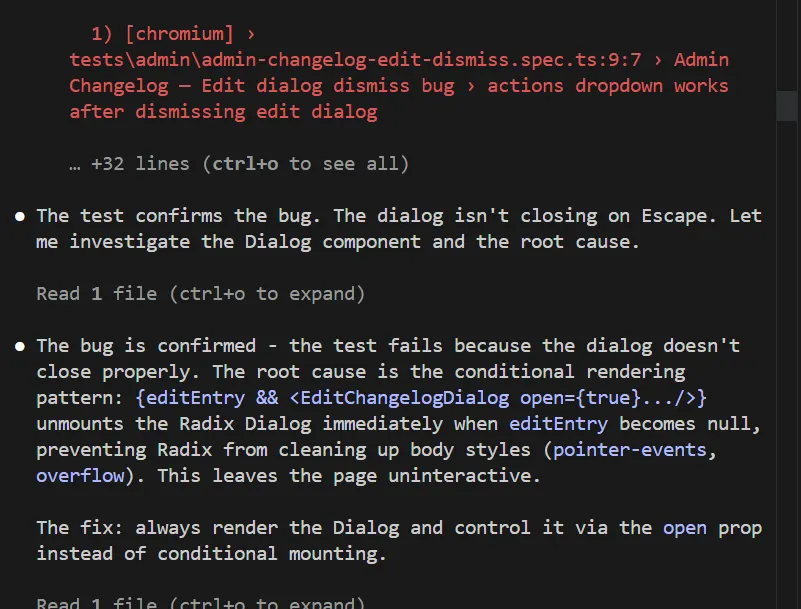
Then AI goes and tries to fix the bug. Then it runs the playwright test. The test fails. The AI continues to iterate on the solution until the test passes. Once the test passes, the AI is done, and the bug should be fixed.
The final shape of the app & analysis of the architecture
At the end of the process, here is the summary and my analysis:
-
Total features built: 84. I didn’t get all the way to the 100 (yet), because some features AI suggested didn’t make sense to build. Also, I added some additional JIRA tasks, but I’ll handle them later.
-
Token usage: I was keeping an eye on it at all times so I wouldn’t reach the Claude session limits. As mentioned, I had to update from Claude Pro to Claude Max, so I could work on pumping out features at the desired speed.
-
Any repeated instructions: I put them into Claude.md file, so I don’t repeat myself. That md file also contained the instructions on how to build the Vertical Slice features.
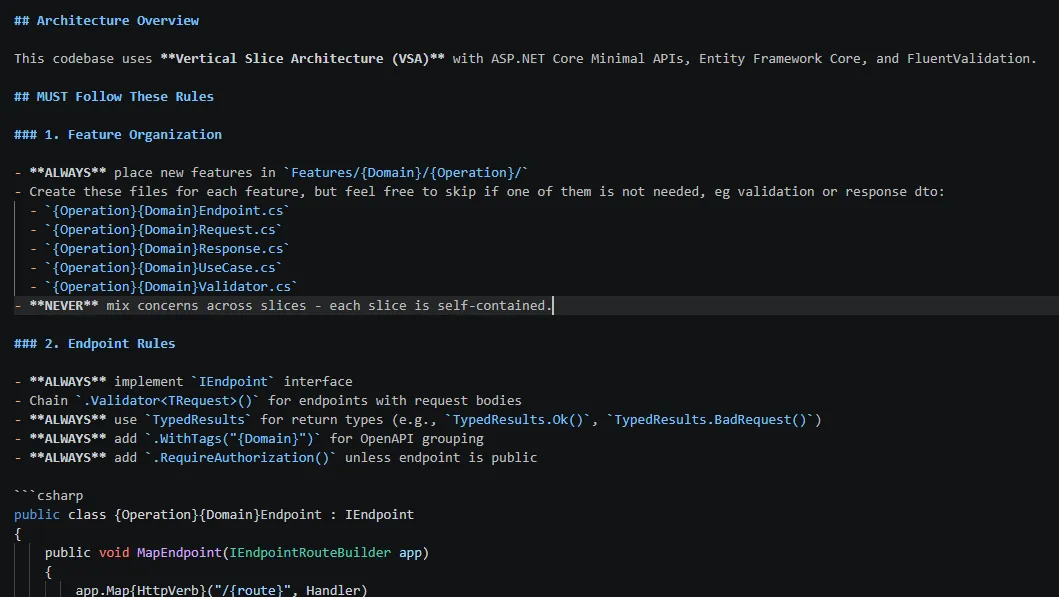
- Vertical Slice Architecture: With 84 built features, this is how the solution structure looks. I was expecting it to be much harder to navigate the code, but that isn’t the case.
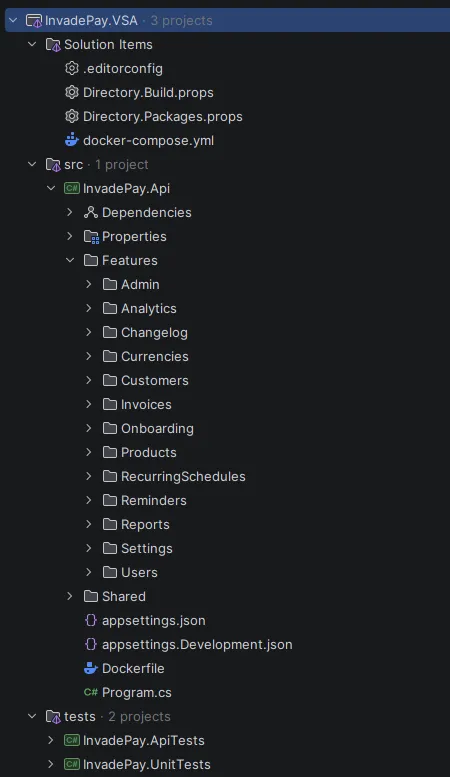
- Tests: at the end, there are 149 unit tests, 81 API tests, and 84 Playwright tests. After I set up test patterns, the AI is good at following them.
Overall, I’m pleased with the results, but I believe that’s only because I, as a human, was involved in the dev work, so the AI was supervised.
Every Friday I reveal insights with frameworks, tools & easy-to-implement strategies you can start using almost overnight.
Join the inner circle of 13,500+ .NET developers